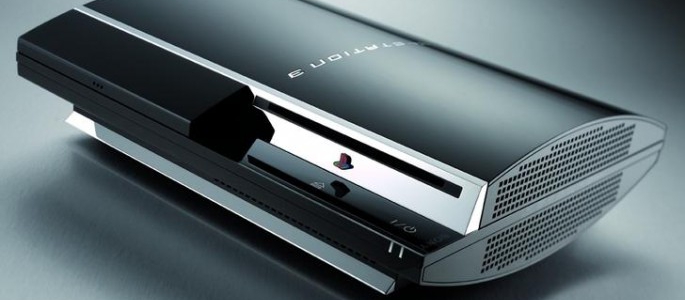
More than 24-hours ago, PlayStation 3 owners around the world began reporting serious issues with their consoles. While some PS3s have been unable to play games and log into the PlayStation Network, other consoles haven’t experienced any problems. The question is: what is going on?
The first thing to note is that this is not a PlayStation Network issue. These errors and issues are directly related to the hardware side of the PlayStation 3 console. Specifically, the system and OS clocks are conflicting, which is causing erratic system behavior. The system clock is running at all times and only counts forward. When powered on, the system clock confirms what time it is to the OS Clock. On top of that, when a PlayStation 3 is on, a battery inside of the PlayStation 3 gets charged which runs the system clock in the background even when the PlayStation 3 is turned off.
What’s causing the problem?
The system clock thinks that today is a leap year dated February 29th, 2010. Meanwhile, the OS Clock doesn’t have that date available in its table since it doesn’t exist. What we have are two very conflicting dates which have caused the PlayStation 3 to change behavior. It’s hard to tell exactly why the date on many PS3s has been rolled back to 1999, but it could be a protocol set in place by Sony for situations like this.
Why does the system clock think it’s leap year?
Apparently, the older PlayStation 3s have been programmed to think that every even year is a leap year. You might be asking, “Well, why didn’t PS3 consoles face this issue in 2008 then?”. The answer is, because 2008 WAS a leap year. This is an unfortunate set of circumstances, because in reality leap year is every four years, but the console thinks that it is every two.
At this point, one of three things can happen.
1. The official GMT ticks over to March 2nd and the PlayStation 3 moves to March 1st instead of the leap year date which is causing the issues.
2. Sony finds a way to force the System Clock to move to the current date or at least behave properly.
3. There is no way fix the issue and Sony will have to find a plan b.
Some consumers are removing the internal battery to reset the System Clock which apparently has worked thus far. This isn’t a good idea, however, since it voids the warranty and might create more problems if Sony issues a fix. At any rate, in roughly 2-3 hours the official GMT will shift over to the next day, and hopefully the PlayStation 3 will begin working properly again. Until then, we recommend keeping the PlayStation 3 turned off while waiting for an official update from Sony.
[UPDATE] It looks like the issue has been self-corrected. Moving to the 2nd of March on GMT 00:00 has solved the problem. Feel free to log back on your PlayStation 3 consoles.
Thank you some news at last – i know we have been fed info from other sources but they just continue to say “we are doing our best more updates soon” its nice to hear some information about it
hopefully all will be well @12am lol
[...] Source blog comments powered by Disqus var disqus_url = 'http://www.gamespotcy.com/playstation3-error-8001050f-demystified.html '; var disqus_container_id = 'disqus_thread'; var facebookXdReceiverPath = 'http://www.gamespotcy.com/wp-content/plugins/disqus-comment-system/xd_receiver.htm'; var DsqLocal = { 'trackbacks': [ ], 'trackback_url': 'http://www.gamespotcy.com/playstation3-error-8001050f-demystified.html/trackback' }; [...]
I didn’t know about this at all until about an hour ago.
I turn on my system, started playing Fallout 3, met the requirments for a trophy (50 terminals) and then my system froze. Hard restart, clock says 12/31/1999, and my fallout trophy data is gone. I really hope I don’t have to start over .
Hopefully everything gets fixed and my stuff will be fine. =(
That explains it. I fixed my 60gig Saturday and my other 60gig that was not broken got the error while the one I fixed ( unpluged the battery to reflow the bga’s) didn’t get the error. Still I’m not taking the other non- broken PS3 apart till tomorrow at least.
I don’t like option #3…I would try to remove the battery to fix it myself, but I don’t want that to create any conflicts within the console if Sony would issue a fix. I’ll just wait to see what Sony tells us to do…either way I’m not worried about getting screwed, I know Sony will stand behind their product and if my PS3 turns into a brick I know they will make it right since the issue originated because of a mistake on their end. What I don’t understand is why would the clock be programmed to think it was leap year every even year to begin with?? That doesn’t make any sense. Someone wasn’t thinking.
whatever i can still play borderlands.
[...] guys over at Playstation Lifestyle not only figured out what was going on, but gave a very easily understandable explanation for [...]
lol, wasn’t that the fear with Y2K?
Y2K10? or…
THE APOCALYPS3
thanks for the update
how do i take the battery out and put it back i have seen that people has done it and they are back online so it cant be hard does anyone know how to do it i would love to be back online today
Haha. I had set my clock forward a week to get the trophy in flower and forgot to change it back. Lol. I had no problem with my 60 gb fatty. I even had no network problem with online games.
I`ve removed my CMOS batery and my PS3 is working normally again. At PS3 start, I was prompted to set the Date again. PSN, online and offline games are working as well.
@ dancriv how did you take it and put it back im so ready to try to prestige again in mw2
I reset the date through the set up and this seemed to fix it for me. good luck
@ superman so you set the date manually insted of via internet and it let you sign back on
me and slim dodged a bullet, phew!
EVERONE SET YOUR DATE MANULLY TO 3/3/2010 AND BAM YOUR UP AND RUNNING I JUST DID THAT AFTER RESTORING MY SYSTEM YESTERDAY FOR NOTHING BUT THERE YOU GO IF YOU WANT TO PLAY ONLINE THATS HOW TO DO IT GOOD LUCK IM OFF TO PLAY MW2
Superman is correct. I thought about trying that, but I didn’t till now. Changed the date to March 1st, and it works. I’m on the PSN now.
yes works
manual override it
I changed my date to the correct date last night. I just got home, changed the date to 01/01/2000 and it AUTOMATICALLY corrected the date for me and let me sign in. My bro did the same thing with his computer.
im on mw2 now
I set it to manual and I am working fine now as well! Looks like everyone was freaked out over nothing after all
.
they fixed everything 1 hour ago.. turn on your systems
I set mine via the internet and it’s all working now. Looks like PSLS might have been right about the Greenwich Mean Time thing.
a weird bug for leap year dates
Not to sound like an idiot, but I love how no one thought of that, lol. I know if I had my PS3 with me, I would have easily looked over that.
Good job, PSLS!
Good thing I waited for it to correct itself… I really didn’t want to dismantle my system to remove the internal battery (which absolutely worked for some friends). Thanks for the updates.
So won’t this happen again in the year 2014 if it does this every even year that’s not a leap year?
[...] PlayStation 3 Error 8001050F Demystified [...]
[...] http://playstationlifestyle.net/2010/… [...]